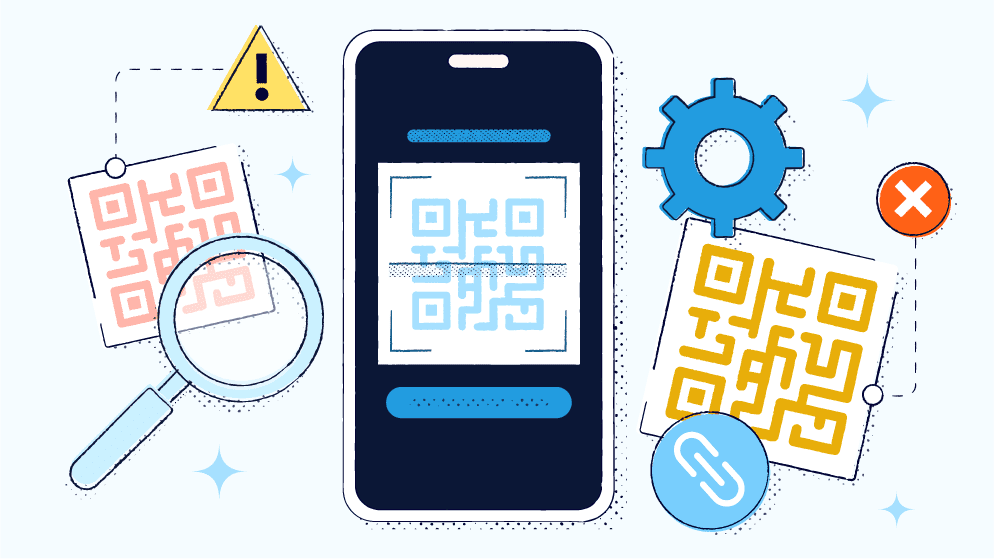
QR Scanning Security: Why Safe QR Scanning Is Essential Today
In today’s digital age, QR codes have become a part of everyday life. Whether you’re checking a restaurant’s menu, making payments, downloading an app, or visiting a website — one quick scan gets things done instantly.
But where there is convenience, there are risks. Fake or malicious QR codes can put your device, personal data, and even your bank accounts at risk. This is why understanding QR Scanning Security is extremely important for every user.
Common Security Risks in QR Codes
1. Malicious URLs
Cyber attackers create QR codes that redirect users to harmful websites designed to steal data or install malware.
2. Fake Payment QR Codes
Scammers place fake payment QR codes at shops, restaurants, or service counters to trick users into sending money to their accounts.
3. Malware Installation
Some QR codes trigger the download of unsafe apps or files that secretly steal your data or monitor your activity.
4. Device & Location Tracking
Malicious QR codes may request access to your device information or track your location without consent.
How to Ensure Safe QR Scanning
✔ 1. Check the QR Code’s Placement
Before scanning, make sure the QR code hasn’t been tampered with or placed over an original one.
✔ 2. Use Trusted QR Scanner Apps
Choose scanning apps that offer:
-
URL preview
-
Security alerts
-
Link verification
These features can save you from harmful links.
✔ 3. Preview the Link Before Opening
A good QR scanner shows a preview of the URL, so you can see where it leads before clicking.
✔ 4. Double-Check During Payments
Always confirm the receiver’s details before completing any QR-based payment.
✔ 5. Keep Your Device & Antivirus Updated
Updated devices and security software are better at blocking new cyber threats.
Why QR Scanning Security Matters
The increasing use of QR codes has simplified life, but it has also opened new doors for cybercriminals. By understanding the risks and adopting safe scanning habits, users can protect their data, money, and privacy.
QR codes are a powerful and convenient tool — but only when used safely. By staying alert and following basic security practices, you can enjoy all the benefits of QR technology without exposing yourself to cyber threats.
Always scan smart, stay secure.
On the Insert tab, the
galleries include items that are designed to coordinate with the overall look
of your document. You can use these galleries to insert tables, headers,
footers, lists, cover pages, and other document building blocks. When you
create pictures, charts, or diagrams, they also coordinate with your current
document look.
You can easily change the
formatting of selected text in the document text by choosing a look for the
selected text from the Quick Styles gallery on the Home tab. You can also
format text directly by using the other controls on the Home tab. Most controls
offer a choice of using the look from the current theme or using a format that
you specify directly.
To change the overall
look of your document, choose new Theme elements on the Page Layout tab. To
change the looks available in the Quick Style gallery, use the Change Current
Quick Style Set command. Both the Themes gallery and the Quick Styles gallery
provide reset commands so that you can always restore the look of your document
to the original contained in your current template.
On the Insert tab, the
galleries include items that are designed to coordinate with the overall look
of your document. You can use these galleries to insert tables, headers,
footers, lists, cover pages, and other document building blocks. When you
create pictures, charts, or diagrams, they also coordinate with your current
document look.
You can easily change the
formatting of selected text in the document text by choosing a look for the
selected text from the Quick Styles gallery on the Home tab. You can also
format text directly by using the other controls on the Home tab. Most controls
offer a choice of using the look from the current theme or using a format that
you specify directly.
To change the overall
look of your document, choose new Theme elements on the Page Layout tab. To
change the looks available in the Quick Style gallery, use the Change Current
Quick Style Set command. Both the Themes gallery and the Quick Styles gallery
provide reset commands so that you can always restore the look of your document
to the original contained in your current template.
On the Insert tab, the
galleries include items that are designed to coordinate with the overall look
of your document. You can use these galleries to insert tables, headers,
footers, lists, cover pages, and other document building blocks. When you
create pictures, charts, or diagrams, they also coordinate with your current
document look.
You can easily change the
formatting of selected text in the document text by choosing a look for the
selected text from the Quick Styles gallery on the Home tab. You can also
format text directly by using the other controls on the Home tab. Most controls
offer a choice of using the look from the current theme or using a format that
you specify directly.
To change the overall
look of your document, choose new Theme elements on the Page Layout tab. To
change the looks available in the Quick Style gallery, use the Change Current
Quick Style Set command. Both the Themes gallery and the Quick Styles gallery
provide reset commands so that you can always restore the look of your document
to the original contained in your current template.
On the Insert tab, the
galleries include items that are designed to coordinate with the overall look
of your document. You can use these galleries to insert tables, headers,
footers, lists, cover pages, and other document building blocks. When you
create pictures, charts, or diagrams, they also coordinate with your current
document look.
You can easily change the
formatting of selected text in the document text by choosing a look for the
selected text from the Quick Styles gallery on the Home tab. You can also
format text directly by using the other controls on the Home tab. Most controls
offer a choice of using the look from the current theme or using a format that
you specify directly.
To change the overall
look of your document, choose new Theme elements on the Page Layout tab. To
change the looks available in the Quick Style gallery, use the Change Current
Quick Style Set command. Both the Themes gallery and the Quick Styles gallery
provide reset commands so that you can always restore the look of your document
to the original contained in your current template.
1 Comment
Masha Allah looking well.