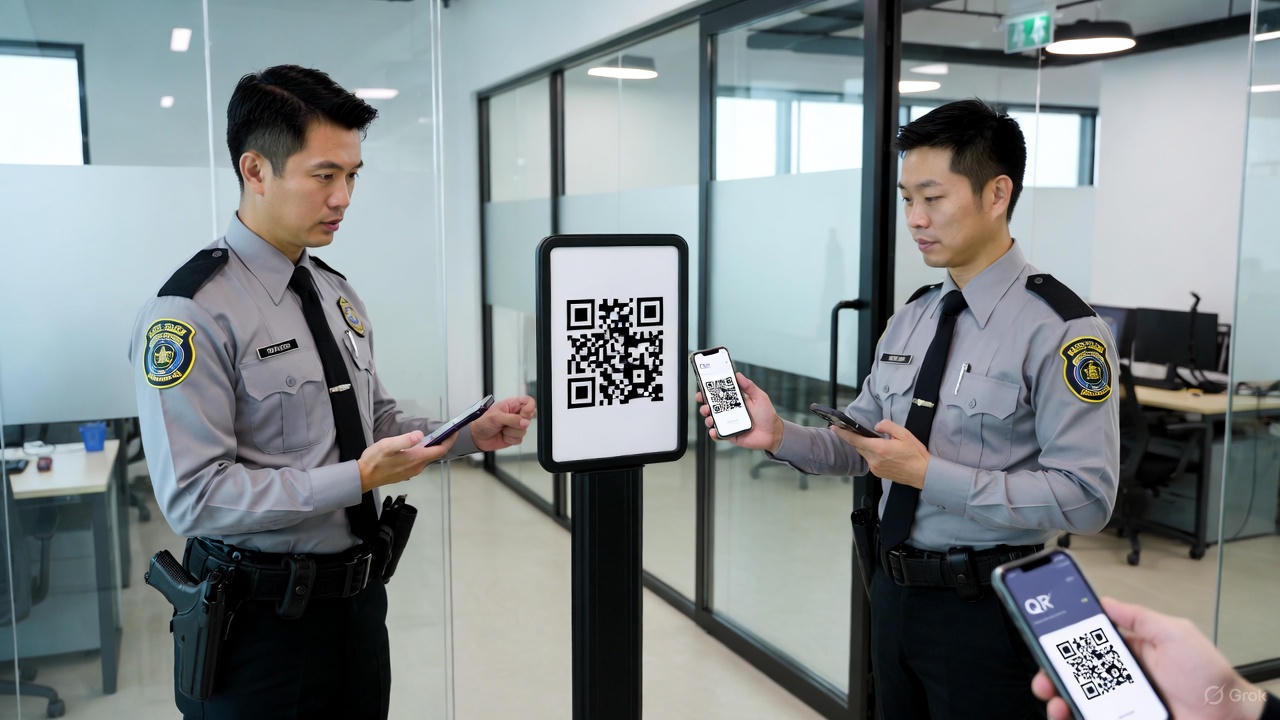
Mastering QR Guard Training: Empowering Security Teams with QR Technology for Efficient Patrols
QR Guard Training: Complete Guide for Security Teams
(100% Copy-Paste Ready – No Images, Pure Text)
Category: QR Guard Training
**Description:** Step-by-step training guide for security guards and supervisors on how to use QR code-based patrol systems (QR Guard / QR-Patrolling) effectively. Covers app usage, checkpoint scanning, incident reporting, real-time monitoring, and best practices.
Mastering QR Guard Training – The Ultimate Guide for Security Guards & Supervisors (2025)
In 2025, almost every professional security company has shifted from paper checklists to QR Guard systems. Guards now scan QR codes at checkpoints using their mobile phones, instantly proving they visited the location on time. But the system only works when guards are properly trained.
This complete guide explains everything you need to know about QR Guard training – from day-one onboarding to advanced features.
What is QR Guard System?
QR Guard (also called QR Patrolling) is a digital guard tour system where:
- QR codes or NFC tags are placed at every checkpoint
- Guards scan the code with the company app
- Time, location, guard name photo are automatically recorded
- Supervisors see live reports on dashboard or mobile
Why Proper QR Guard Training is Mandatory
Companies that skip training face these problems:
- Missed scans fake reporting
- Guards scanning from home using photos
- No incident photos or details
- Clients cancel contracts due to poor proof
Properly trained guards = 95–98% scan accuracy + happy clients.
Full QR Guard Training Syllabus (What Guards Must Learn)
1. App Installation Login
- Download correct app (company provides link)
- Download correct app (company provides link)
- Login with Guard ID password
- Enable GPS camera permissions
2. Understanding Checkpoints
- How to identify QR code locations
- Difference between QR code NFC tag
- What to do if QR code is damaged/missing
3. Correct Scanning Method
- Open app → Click “Scan”
- Point camera at QR code (no need to press anything)
- Wait for vibration + green tick
- Add notes or photo if required
4. Schedule Route Management
- View today’s route schedule
- See checkpoint sequence
- Know start time end time for each shift
5. Incident Reporting (Most Important)
How to report:
- Fire / Smoke
- Theft / Suspicious person
- Water leakage
- Equipment damage
- Medical emergency
Steps:
1. Scan checkpoint
2. Click “Report Incident”
3. Choose category
4. Take photo/video (mandatory)
5 Write description
6 Submit → Supervisor gets instant alert
6. SOS / Panic Button
- Location of red SOS button in app
- What happens when pressed (live location + call to control room)
- Monthly drill requirement
7. Daily Reporting Checklist
- Start shift → Scan “Start Duty” QR
- Complete all checkpoints
- Scan “End Duty” QR
- Submit daily report (if required)
8. Common Mistakes to Avoid
- Scanning old photo of QR code (GPS detects fraud)
- Scanning wrong checkpoint
- Forgetting to attach photo in incident
- Closing app before scan completes
Training Duration Format
Recommended training plan:
- Day 1: Theory + app installation (2 hours)
- Day 2: Live outdoor practice with 20 checkpoints (3 hours)
- Day 3: Test + certification (1 hour)
Pro Tips for Guards
- Easy to use (just scan take photo)
- No handwriting
- Proof of presence (protects from false blame)
- Supervisors trust increases
- Salary on time (because reports are perfect)
Pro Tips for Supervisors / Managers
- Run weekly mock drills
- Check “Missed Scans” report daily
- Reward 100% scan guards monthly
- Replace damaged QR codes within 24 hours
Final Words
QR Guard system is only as strong as your training. A well-trained guard with QR app is 10 times more effective than traditional paper logbook method.
2 Comments
testing
askldja;lskdj